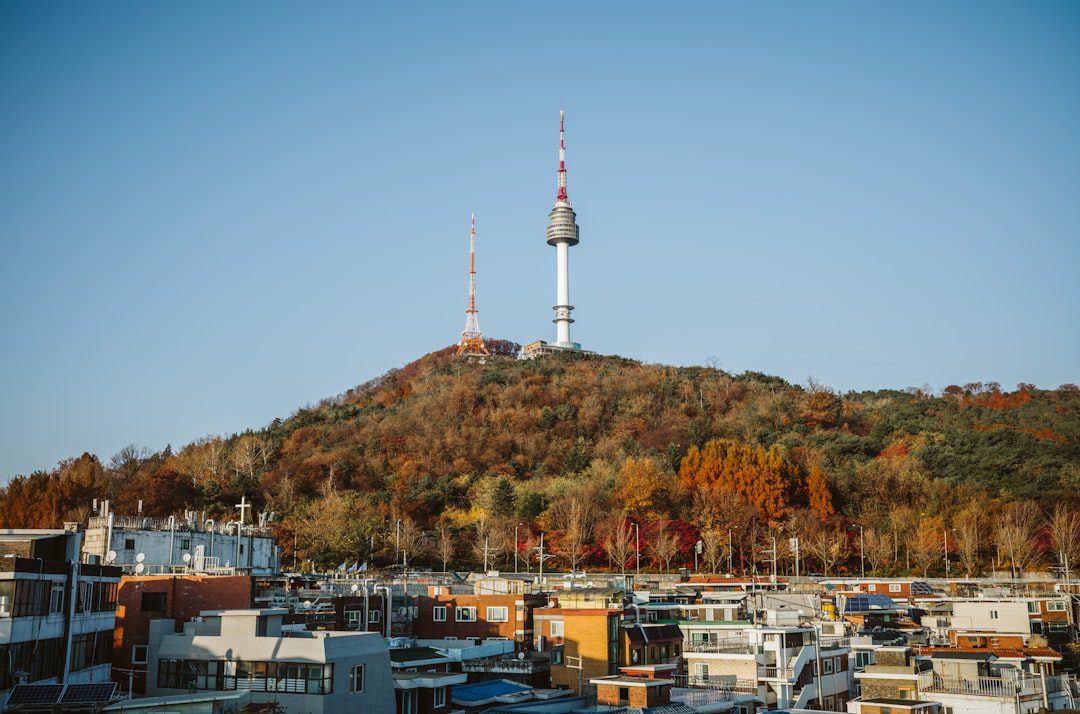
I still remember 2006 when I first tried to stay connected in Korea. It was a nightmare. I’d hunt for an internet café (PC방) just to check my email, and I missed half my meetings because people couldn’t reach me. Fast forward to today, and Korea has become one of the most connected countries in the world—and I mean everywhere. Your subway train? Connected. The mountain trail? Connected. That tiny pojangmacha (street food tent)? Probably has faster WiFi than your home country.
After 35 years here, I’ve tested every internet option available to travelers: airport SIM cards, pocket WiFi rentals, eSIMs, free hotspots, and mobile plans. I’ve had terrible signal at inopportune moments and blazing 5G speeds that made me tear up a little. Whether you’re here for three days or three months, choosing the right connectivity option can make or break your trip.
Here’s everything you need to know about staying connected in Korea—including the options most tourists don’t even know exist.
Why Internet Matters in Korea (More Than You Think)
Let me be blunt: Korea without mobile internet is like going to Paris without seeing the Eiffel Tower. I’m not exaggerating. Here’s why:
Navigation — Google Maps works here, but Naver Map and Kakao Map are superior. You need mobile data to navigate. Seoul’s subway is intuitive, but neighborhoods like Hongdae or Gangnam require real-time direction checking.
Ordering Food & Taxis — Apps like Coupang Eats, Naver Order, and Kakao Taxi are essential. You can’t hail a taxi on the street easily anymore; Koreans book via app. Want to order tteokbokki to your hotel? App only.
Tourist Info — Museum hours change. Restaurants close unexpectedly. Seasonal events pop up. You need live access to Naver, Kakao, and Korean tourism sites.
Language — Google Translate’s camera feature will save you countless times when reading menus or signs.
Payment — While cash still works, many smaller places require mobile payment via Naver Pay or Kakao Pay, which need internet to verify.
Ted’s tip: Don’t underestimate connectivity. I’ve seen tourists completely derailed by poor signal choices. One hour without internet in Seoul can cost you a meal reservation, a concert ticket, or the chance to join a spontaneous tour.
Your Internet Options: A Complete Breakdown
Let’s compare every option available to you:
| Option | Best For | Cost Range | Pros | Cons |
|---|---|---|---|---|
| eSIM | Tech-savvy, short trips | ₩15,000–₩50,000 | Instant, no physical card, flexible plans | Phone must support eSIM, Korean number optional |
| Physical SIM Card | Want a Korean number, longer stays | ₩10,000–₩40,000 | Cheap, easy activation, Korean number | Requires ID verification, takes 10–15 minutes |
| Pocket WiFi Rental | Traveling with a group, older phones | ₩8,000–₩15,000/day | Covers multiple devices, shared battery, pickup/dropoff services | Bulky, must charge daily, damage fees |
| Prepaid Phone Plan | Budget travelers, light usage | ₩25,000–₩100,000 | Pay-as-you-go, no commitment | Expensive per GB, can be slow after cap |
| Free Hotspots Only | Budget travelers, city center only | ₩0 | Free, no setup needed | Slow, unreliable, limited to cafés/malls, security risk |
eSIM: The Easiest Option for Most Travelers
If your phone was made after 2020, eSIM is my top recommendation. It’s digital, instant, and requires zero paperwork.
How eSIM Works
An eSIM is a virtual SIM card embedded in your phone (iPhone XS+, most modern Android devices). Instead of inserting a physical card, you download a digital plan via QR code or app. You can switch plans instantly without physically changing cards.
Where to Buy eSIM in Korea
Before arrival (Recommended): Buy eSIM from international providers before landing:
| Provider | Coverage | 5GB Price | Duration | Notes |
|---|---|---|---|---|
| Airalo | SK Telecom (Korea) | $12–$18 | 7–30 days | Easiest for beginners, downloaded instantly |
| Holafly | SK Telecom | $15–$20 | 7–30 days | Good for long-term travelers, unlimited options available |
| Simify | SK Telecom | $11–$16 | 7–30 days | Most affordable, but less user support |
| Local Korean eSIM (in-country) | All 3 networks | ₩15,000–₩50,000 | 3–30 days | Bought at airport or convenience stores, slightly cheaper |
At Incheon or Gimpo Airport: You can buy local eSIM at airport convenience stores (GS25, CU) or mobile carriers’ kiosks. Activation is instant, but prices are 10–20% higher than pre-buying.
eSIM Setup Steps
- Before your trip, ensure your phone supports eSIM (iPhone XS+, Samsung Galaxy S20+, Google Pixel 3a+)
- Buy eSIM from Airalo, Holafly, or another provider
- Download the eSIM via QR code in their app (do this before landing)
- Arrive in Korea, activate the plan in Settings → Cellular → Add Cellular Plan
- Select the Korean eSIM as primary, keep your home carrier for calls/texts if dual-SIM capable
- You’re connected instantly—no registration, no ID needed
Ted’s tip: Activate your eSIM before boarding—don’t wait until landing. Airport WiFi is often weak, and you’ll save valuable time. I activate mine on the plane 30 minutes before touchdown.
eSIM Speed & Network Quality
Most eSIMs in Korea use SK Telecom (the strongest network). You’ll typically get:
- 4G/LTE: 30–100 Mbps in cities
- 5G: 200–500 Mbps in central Seoul (if available on your plan)
- Coverage: Excellent in cities, decent in rural areas, poor in mountains
This is more than fast enough for maps, social media, streaming YouTube at 720p, and ordering food.
Physical SIM Cards: The Korean Number Option
Want a Korean phone number? Need to verify accounts with Korean services? A physical SIM card from a Korean carrier is your best bet. This is what I had for 20 years before eSIM existed.
Korean Mobile Carriers
Korea has three major carriers. All offer roughly equal coverage, but KT and SK Telecom are slightly faster:
| Carrier | Speed Rank | Tourist Plans | Best For |
|---|---|---|---|
| SK Telecom | 1st (fastest) | 3–30 days, ₩10,000–₩50,000 | Overall best—widest coverage, fastest speeds |
| KT | 2nd | 3–30 days, ₩10,000–₩45,000 | Competitive, good customer service in English |
| LG U+ | 3rd | 3–30 days, ₩8,000–₩40,000 | Cheapest option, slightly lower coverage in rural areas |
Where to Buy Physical SIM in Korea
Incheon International Airport (Terminals 1 & 2): All three carriers have kiosks in the basement arrival halls. Expect to wait 10–15 minutes. Hours: roughly 6:30 AM–11 PM daily.
Gimpo International Airport: SK Telecom and KT have counters (much less crowded than Incheon).
Seoul City (Anywhere): Carrier stores and convenience stores (GS25, CU, Emart24) sell tourist SIMs. SK Telecom stores are on nearly every block in central Seoul—just search “SK텔레콤” on Naver Map.
Major Tourist Districts: Myeongdong, Gangnam, Hongdae, Itaewon all have carrier kiosks.
Physical SIM Registration Process
- Go to carrier store or airport kiosk
- Show your passport
- Tell the clerk your desired plan (data only, or with calls/texts)
- They’ll insert the SIM, activate it (5 minutes), and explain the plan
- You’ll get a Korean phone number instantly
- They’ll verify your number works by sending you a text
Total time: 10–15 minutes. Cost: ₩10,000–₩50,000 depending on data limits.
Popular Tourist SIM Plans
| Duration | Data Limit | Calls/Texts | Price (₩) | Best For |
|---|---|---|---|---|
| 3 days | 5GB | No | ₩10,000–₩15,000 | Weekend trips, light usage |
| 7 days | 10GB | No | ₩20,000–₩28,000 | Standard week-long trip |
| 15 days | 20GB | No | ₩35,000–₩45,000 | Extended trip, video streaming |
| 30 days | Unlimited (throttled after 50GB) | Limited calls/texts | ₩50,000–₩80,000 | Long-term travelers, month-long stay |
Ted’s tip: After your data limit, most Korean carriers throttle to 3G speeds (still usable for maps/chat, but slow for video). It won’t cut you off completely. This is more generous than US carriers.
Pocket WiFi Rental: Best for Groups & Families
Traveling with family or a group? Don’t want to buy multiple SIMs? Pocket WiFi rental lets one device create WiFi for everyone.
What Is Pocket WiFi?
A portable hotspot device (roughly smartphone-sized) that creates WiFi for up to 5–10 devices. One charge lasts 8–12 hours. Perfect for families or friends who share a rental, since one device covers everyone.
Pocket WiFi Rental Companies
| Company | Daily Rental | Data Cap | Pickup/Dropoff | Damage Fee |
|---|---|---|---|---|
| Pocket WiFi (Official) | ₩8,000–₩12,000 | Unlimited (500MB+/day) | Airport, hotel delivery, convenience stores | ₩100,000–₩300,000 if lost |
| WiFi Ranger | ₩9,000–₩13,000 | Unlimited | Airport, hotel, courier service | ₩150,000 if lost |
| Wimaxpass | ₩10,000–₩15,000 | Capped (1GB/day typical) | Airport pickup/dropoff only | ₩200,000 if lost |
| Local Korean Carriers (Short-term rental) | ₩8,000–₩10,000 | Unlimited (throttled after 5GB) | Convenience stores (GS25, CU) | ₩100,000 if lost |
How to Rent Pocket WiFi
Online (Before Arrival): Book at company websites (Pocket WiFi Korea, WiFi Ranger) 3–4 days before arrival. Arrange airport pickup/dropoff. Cost: usually ₩8,000–₩12,000/day.
At Incheon Airport: Walk to the Pocket WiFi rental kiosks in the arrival hall (Basement 1, Terminal 1 & 2). You can rent same-day without advance booking, but expect a 20-minute wait during peak hours. Pickup locations for dropoff: airport itself, major hotels, convenience stores.
Seoul City: GS25 and CU convenience stores rent pocket WiFi. Grab one on Day 1, return it on your last day. No advanced booking needed.
Pocket WiFi Pros & Cons
Pros:
- One device = WiFi for everyone in your group
- No SIM card for older phones
- Good for people uncomfortable with tech setup
- Battery backup for emergencies (charges phones too, sometimes)
Cons:
- Must charge daily (inconvenient in hostels)
- Bulky to carry constantly
- High damage/loss fees (₩100,000–₩300,000)
- Slightly slower than direct SIM connections
- Limited by battery life (8–12 hours max)
Ted’s tip: Pocket WiFi is best for families with young kids or groups where one person acts as “data manager.” For solo travelers or tech-savvy groups, eSIM or physical SIM is cheaper and less hassle. I’ve seen too many tourists lose pocket WiFi devices and get hit with massive fees.
Free WiFi Hotspots Across Korea
Every café, mall, and convenience store in Korea has free WiFi. However—I’m being honest here—relying on free WiFi only is risky. It’s slow, unreliable, and often requires Korean ID or login apps.
Where to Find Free WiFi
| Location | Reliability | Speed | Notes |
|---|---|---|---|
| Café (Starbucks, Twosome Place, etc.) | Good | Moderate (10–30 Mbps) | Requires café WiFi password (usually on receipt). Must buy drink to use. |
| Shopping Malls (Myeongdong, Gangnam) | Good | Good (20–50 Mbps) | Public WiFi, no login needed. Congested during peak hours. |
| Subway (Seoul Metro) | Fair | Slow (3–15 Mbps, unreliable) | Free but patchy. Good for emergencies only, not for streaming. |
| Convenience Stores (GS25, CU, Emart24) | Fair | Moderate (10–25 Mbps) | Usually fast, but you might need to buy something to access. |
| Hotels/Hostels | Excellent | Very Good (30–100 Mbps) | Most include free WiFi. Ask for password at check-in. |
| Airport (Incheon/Gimpo) | Good | Good (20–60 Mbps) | Free for 2 hours with phone number verification. Works while waiting. |
| Seoul WiFi (Official City Network) | Good | Moderate (10–30 Mbps) | Public parks, bus stops, main streets. Free, no login. Can be slow. |
| Public Transportation (Buses) | Fair | Slow (2–10 Mbps) | Free but unreliable for navigation—use only if you’re already online. |
Security Warning: Public WiFi Risks
I have to be honest: free public WiFi in Korea is generally safe (Korean government has strict cybercrime laws), but it’s still not encrypted. Never do online banking or sensitive payments over public WiFi. Wait until you’re back at your hotel with secure WiFi.
Seoul WiFi: The Free City Network
Seoul Metropolitan Government offers free public WiFi throughout the city (“Seoul WiFi”).
- Coverage: Parks, major streets, bus stops, cultural sites (Gyeongbokgung, Namsan Tower, etc.)
- Speed: 10–30 Mbps (decent for maps/messages, slow for video)
- Registration: First-time use requires Korean phone number or temporary login. Not ideal for tourists.
- Reliability: 70% reliable. Good backup, but don’t rely on it as primary internet.
Ted’s tip: Free WiFi is great for emergency navigation or texting, but it’s unreliable for real work or streaming. Think of it as a backup, not a primary solution. The time you’ll spend hunting for WiFi and waiting for it to load is worth the cost of an eSIM.
Comparison: Which Option Should You Choose?
Let me break it down by traveler type:
Solo Traveler, 3–7 Days, Tech-Savvy
Best choice: eSIM (buy before arrival)
- Instant activation, no setup
- Most affordable per GB
- Works immediately on landing
- No damage fees or device loss worries
- Cost: $12–$20 for 5–10GB
Group of 4–6 People, Staying 1–2 Weeks
Best choice: One pocket WiFi + one eSIM
- Pocket WiFi covers the group (₩8,000–₩12,000/day)
- Backup eSIM for group leader (for emergencies, solo activities)
- Total: ₩56,000–₩84,000 (7 days) + $15 = roughly ₩70,000–₩100,000 for entire group
- Better than everyone buying individual plans
Budget Traveler, 2–3 Days, Minimal Usage
Best choice: Free WiFi + hotel internet + single day eSIM/SIM
- Use hotel/café WiFi during the day
- Buy a cheap eSIM or 3-day physical SIM only for heavy travel days
- Cost: ₩0–₩15,000 total
Long-term Traveler, 1–3 Months
Best choice: 30-day physical SIM or monthly postpaid plan
- Physical SIM with 30-day unlimited plan (₩50,000–₩80,000)
- Get a Korean phone number for apps like Naver, Kakao, Coupang
- Switch to a postpaid plan after 30 days if staying longer (₩50,000–₩100,000/month)
- If not using calls, stick with 30-day tourist eSIM/SIM resets
Speed Expectations & Network Quality
What speed should you expect in Korea? Better than almost anywhere else in the world.
| Network Type | Typical Speed | Where You’ll Find It | What It’s Good For |
|---|---|---|---|
| 5G (newest phones) | 200–500 Mbps | Central Seoul, major cities | 4K video streaming, video calls, instant downloads |
| 4G LTE (standard) | 30–100 Mbps | 99% of Korea | Maps, social media, HD video, streaming music |
| 3G (legacy, throttled speeds) | 3–10 Mbps | Remote mountains, far islands, after data cap | Text messages, basic web, maps (slow) |
| WiFi (café, mall) | 10–50 Mbps (varies) | Cafés, malls, hotels, restaurants | Good for longer uploads, video calls, multiple devices |
Real-world example: In central Seoul (Gangnam, Myeongdong, Hongdae), I regularly get 4G speeds of 50–80 Mbps on my eSIM. That’s genuinely faster than my WiFi at home. In rural areas or mountains, expect 10–30 Mbps. Still usable, but noticeably slower.
Essential Apps for Staying Connected in Korea
Once you’re connected, download these apps immediately. They’re vital for life in Korea:
| App | Purpose | Requires Internet? | Requires Korean Number? |
|---|---|---|---|
| Naver Map / Kakao Map | Navigation, restaurant/café info, reviews | Yes (essential) | No |
| Kakao Taxi | Book taxis anywhere in Korea | Yes (essential) | Yes, but can use email for first ride |
| Coupang Eats / Naver Order | Food delivery | Yes | Recommended (Korean number preferred) |
| Papago (by Naver) | Translation (better than Google for Korean) | Yes | No |
| Subway Korea | Subway route planning, real-time info | Yes (unless offline map downloaded) | No |
| Naver Pay / Kakao Pay | Mobile payment (increasingly required) | Yes | Yes (or credit card linked) |
| Booking.com / Naver Hotel | Hotel reservations, tourist info | Yes | No |
| Line / KakaoTalk | Chat with Koreans, group messaging | Yes | No |
Read more about the best Korean apps for tourists in my complete guide.
Data Usage Reality Check: How Much Data Do You Actually Need?
This is important because I see tourists buy way more data than they need, wasting money.
Light Usage (Budget/Casual Travelers)
Activity: Maps, messaging, light social media, email
Data per day: 1–2 GB
Recommendation: 3–5 GB for a 3-day trip. eSIM or physical SIM with 5–10 GB total.
Moderate Usage (Most Travelers)
Activity: Maps, social media, photos/Instagram, messaging, occasional streaming
Data per day: 3–5 GB
Recommendation: 10–20 GB for a week. 7-day SIM with 15+ GB or eSIM plan.
Heavy Usage (Always Streaming, Video Calls, Work)
Activity: HD/4K video streaming, long video calls, remote work, lots of uploads
Data per day: 5–10 GB
Recommendation: 30+ GB for a week, or unlimited plan. Consider a 30-day plan even if staying 10 days.
Ted’s tip: Don’t buy unlimited plans for short trips. Most tourists use 5–10 GB total over a week. Unlimited often costs ₩80,000+, whereas a 20 GB plan is ₩40,000–₩50,000. Do the math before buying.
Money-Saving Hacks & Pro Tips
Hack #1: Download Maps Offline
Save data by downloading offline maps. Naver Map, Kakao Map, and Google Maps all allow offline regions. Download before leaving your hotel each morning. This saves 500 MB–1 GB per day.
Hack #2: Use Messenger Apps Instead of Data Calls
WhatsApp, Telegram, and KakaoTalk use minimal data for calls/voice messages (about 1 MB per minute). Calling via data instead of your mobile plan saves money. Koreans use KakaoTalk for everything—download it.
Hack #3: Hotel WiFi + Minimal Data Plan
If you’re staying in one place, use hotel WiFi and buy only a cheap 3–5 GB data plan for exploring outside the hotel. Cost: ₩15,000 instead of ₩40,000.
Hack #4: Buy Data Add-Ons, Not a New Plan
If your eSIM runs out of data mid-trip, don’t buy a new eSIM. Most Korean carriers sell data add-ons (5GB for ₩10,000). Easier than switching plans.
Hack #5: Airport Kiosks in Slow Hours (6 AM–9 AM)
Arrive at Incheon Airport early and hit the SIM/WiFi kiosks between 6–9 AM. Zero wait time. Evening arrivals mean 30–60 minute lines.
Hack #6: Refund Unused Data
Most Korean carriers don’t refund unused data when your plan expires, but international eSIM providers (Airalo, Holafly) offer refunds if you don’t use them. Check before buying.
Troubleshooting Common Connection Issues
No Signal in the Subway
This is normal. Korean subways have WiFi calling on some lines (Seoul Metro Lines 2, 5), but traditional signal is spotty underground. Download offline maps before going down. You’ll regain signal 10 seconds after exiting.
Slow Speed After Data Cap
Your plan hit the limit and you’re throttled to 3G. This is slow but still works for maps/chat. Buy a data add-on if you need speed, or switch to a higher-cap plan for next time.
eSIM Won’t Activate
Possible causes:
- Wrong phone model: Your phone might not support eSIM. Check your device supports eSIM (iPhone XS+, Samsung S20+, Pixel 3a+)
- Airplane mode on: Turn it off in Settings
- Provider issue: Contact Airalo or Holafly support; they usually respond within 2 hours
- Timing issue: Wait 30 minutes after activation—eSIM can take time to provision
SIM Card Not Being Recognized
After buying a physical SIM at the airport, if your phone doesn’t recognize it:
- Restart your phone
- Ask the kiosk staff to verify the SIM was activated (they should test it first)
- If still not working, return to the kiosk and request a different SIM card (sometimes they’re defective)
Pocket WiFi Isn’t Connecting
Try these steps:
- Check that pocket WiFi is turned on (press the power button for 3 seconds)
- Look for the WiFi network name on the back of the device; search for it on your phone
- Enter the password (also on the back)
- Restart the pocket WiFi if it still won’t work
- If it still fails, return it to the rental counter for a replacement device
Frequently Asked Questions
Do I need internet to use Korean apps like Kakao Taxi?
Yes, absolutely. Kakao Taxi, Coupang Eats, and all Korean service apps require real-time internet to function. You cannot use them without mobile data or WiFi. This is why connectivity is essential in Korea.
Can I use my home country’s mobile plan in Korea?
Maybe, but it’s expensive. Most international plans cost $5–$10 per day for 500MB–1GB in Korea, which adds up. A local eSIM or SIM is always cheaper. However, if your home carrier offers an affordable Korea add-on (check your provider), it might be worth it for a 3-day trip. Still, I’d recommend an eSIM instead.
What’s the difference between eSIM and physical SIM?
eSIM is digital (downloaded to your phone); physical SIM is a card you insert. eSIM is faster to activate and doesn’t require you to carry a physical card. Physical SIM gives you a Korean phone number (useful for apps, restaurant reservations). For most tourists, eSIM is easier. For longer stays or if you need a Korean number, physical SIM is better.
Is Korean internet safe? Can I do online banking on WiFi?
Korean internet infrastructure is secure and heavily regulated. However, never do sensitive tasks (banking, passwords, credit card info) on public WiFi. Wait until you’re on hotel WiFi or use your mobile data. This is a universal security rule, not Korea-specific.
How do I know which carrier (SK Telecom, KT, LG U+) has the best coverage?
In practice, all three offer excellent coverage in cities. SK Telecom is slightly faster overall, KT is good, and LG U+ is the cheapest. For your trip, the difference is negligible. Pick whichever is most convenient (shortest airport line, closest store, best rental deal).
Can I tether my phone to other devices without extra cost?
Yes, tethering is free on all Korean carrier plans. If you buy an eSIM or SIM with 10 GB of data, you can create a personal hotspot and share that 10 GB with laptops, tablets, etc. This is a good budget option for groups. Just note that tethering drains your phone battery faster—carry a power bank.
What happens if I go over my data limit?
Most Korean carriers throttle your speed to 3G (3–10 Mbps) instead of cutting you off completely. This is slower but still usable for maps and texting. Some plans allow you to buy data add-ons on the spot (via text/app) to restore full speed. You won’t be charged overage fees—you’ll just be slower.
Do I need a Korean phone number for anything?
Not strictly necessary for tourists, but helpful for:
- Kakao Taxi (works without number but easier with one)
- Restaurant/accommodation reservations
- 2FA verification for Korean apps
- If you plan to work remotely or stay longer
For a 3–7 day trip, you can survive without a Korean number. For longer stays, get a physical SIM with a Korean number.
Final Thoughts
After 35 years in Korea, I’ve watched internet connectivity evolve from PC bangs to fiber-optic cities. The jump happened faster than you’d think, and now Korea’s internet infrastructure is world-class. For travelers, this is a gift.
My honest recommendation: Most visitors should buy an eSIM before arrival. It’s the fastest, cheapest, and easiest option. Spend the 10 minutes setting it up, land in Korea, and be online instantly. No airport lines, no ID verification, no device to carry or charge. Just seamless internet for the price of a meal.
For families or groups, pocket WiFi is still the practical choice. For long-term travelers, a physical SIM with a Korean number opens doors to apps and services that make life here easier.
Whatever you choose, don’t skimp on connectivity. The ₩20,000–₩40,000 you spend on an eSIM or SIM card will pay for itself within hours through food app discounts, saved taxi rides, and prevented museum line-ups. Korea is too convenient, too fast, too connected to navigate blind. Stay online, and you’ll experience the country like a local—not a lost tourist hunting for a café WiFi password.
— Ted K
Image Credits: Photos sourced from Unsplash. By using this site, you agree to our Privacy Policy and Disclaimer.